

1. How to reverse CT? How to do the CT debug?
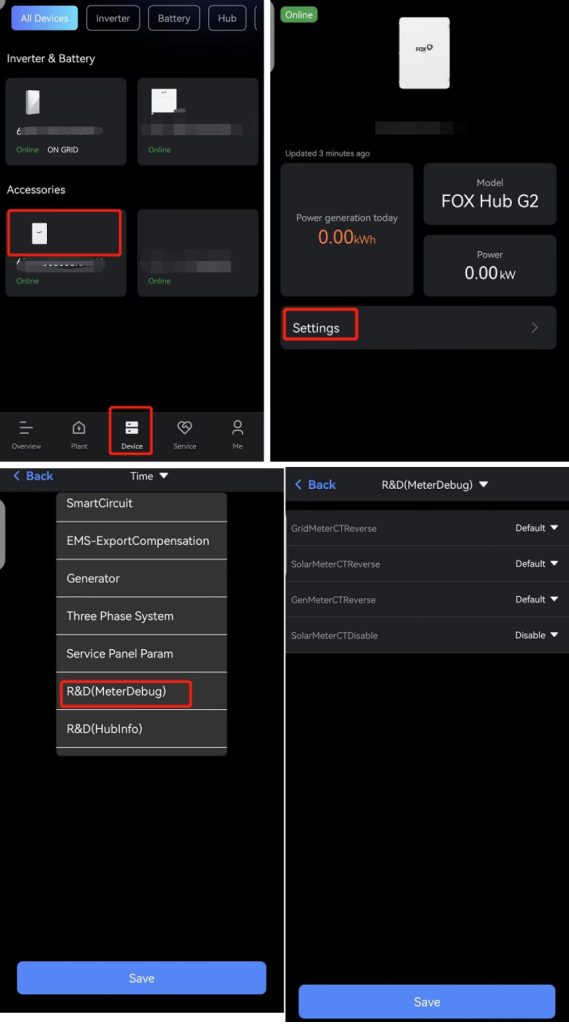
CT Debug function is only available on Hub, when the Grid Meter CT L1 L2 are all connected wrong, the hub system GridCTAdaptiveEnable is enabled, the GriCTReverse will reverse automatically. If the installer mixed the L1 and L2 when connecting the CT, they need be back to the site and change the line(power line and communicate line are the same).
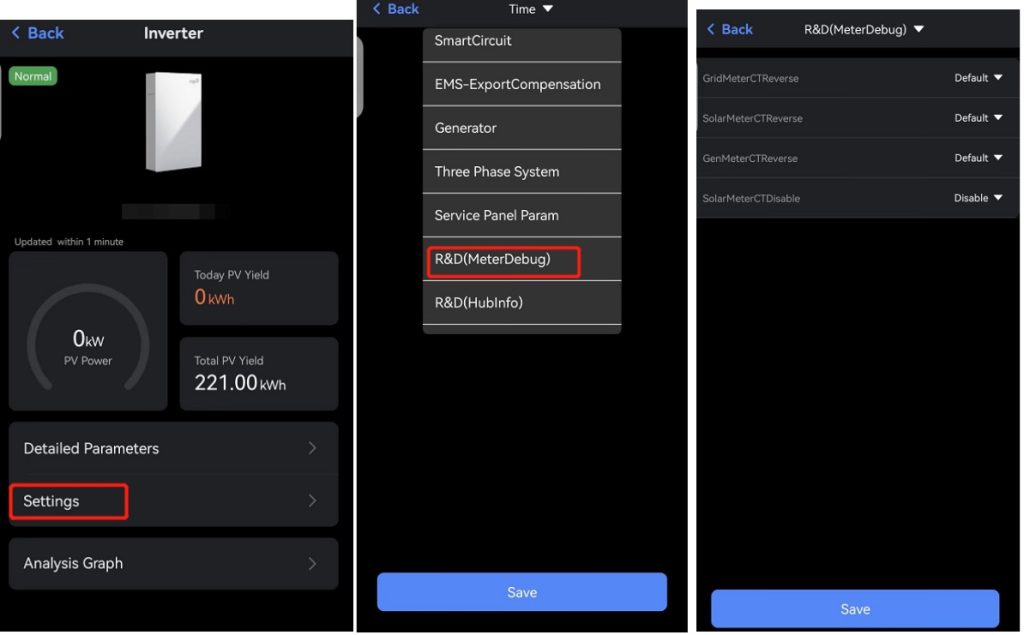
If the system is installed without hub, and when we found the data abnormal, we need to check if the L1 L2 all installed wrong, we can change the setting’GridMeterCTReverse’ to ‘Default’.
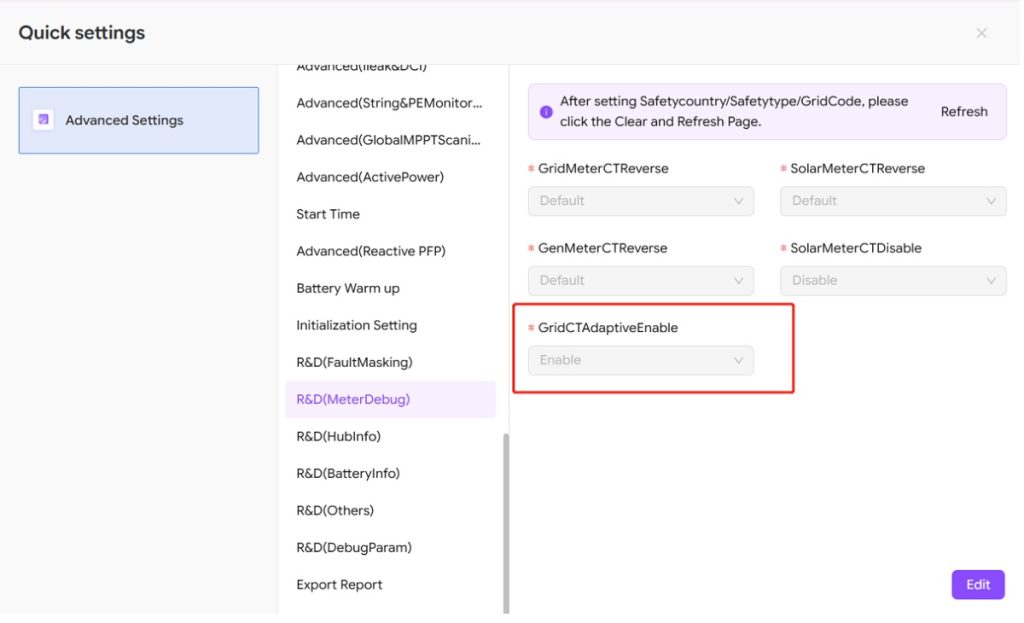
CT debug on APP:
with hub:
without Hub:
2.Can the CT line be in the same circuit as the power line?
yes, but not recomend, only for short distance, eg:20m
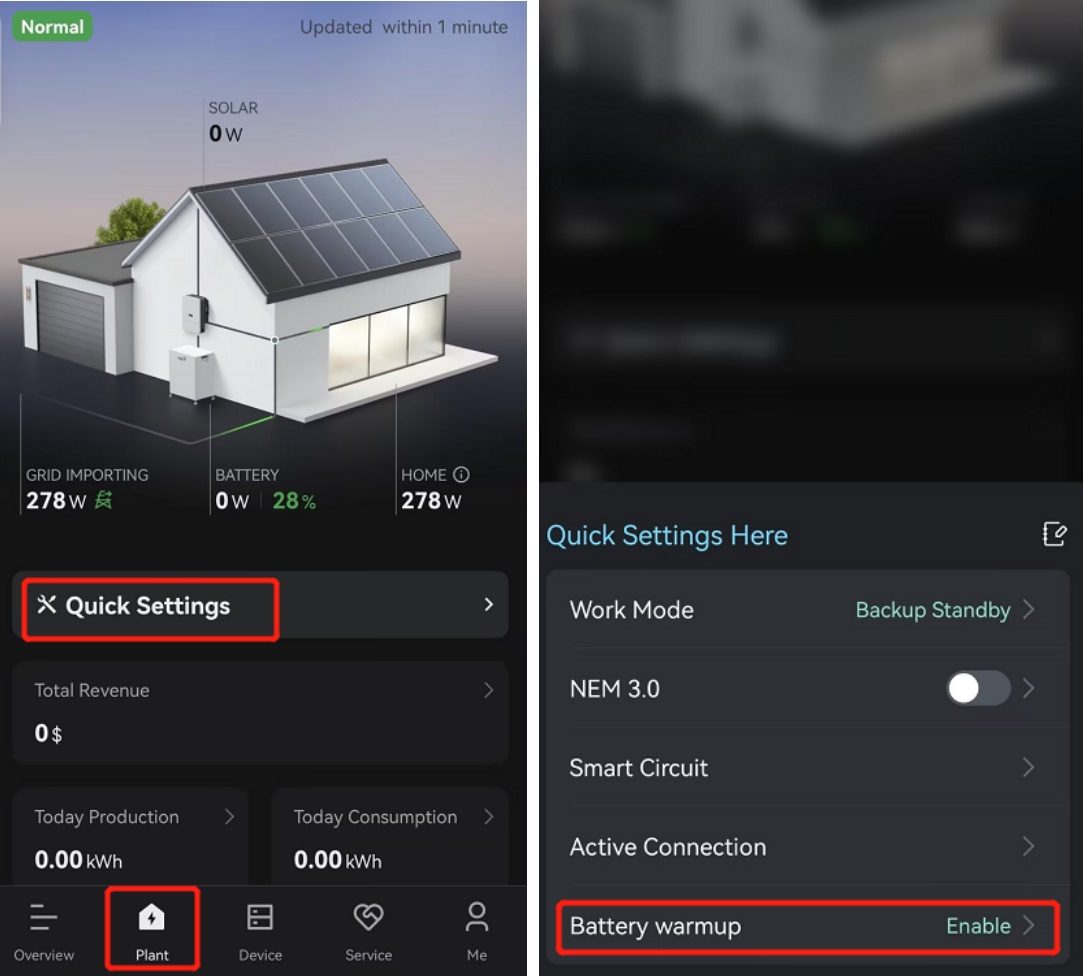
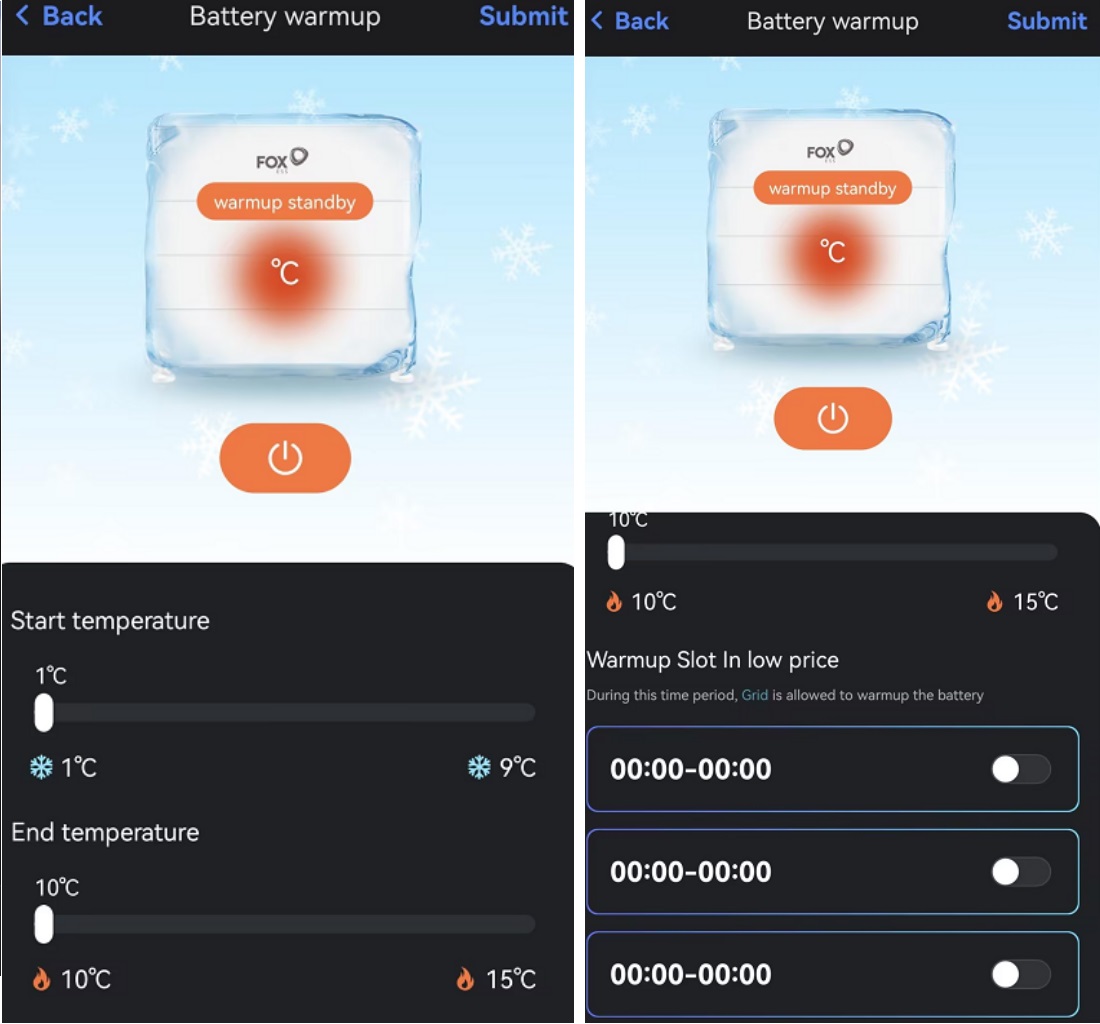
3.How to set up the battery heating function?
Please see the screenshoot.
4.How can I obtain the FoxESS API documentation?
https://www.foxesscloud.com/public/i18n/en/OpenApiDocument.html
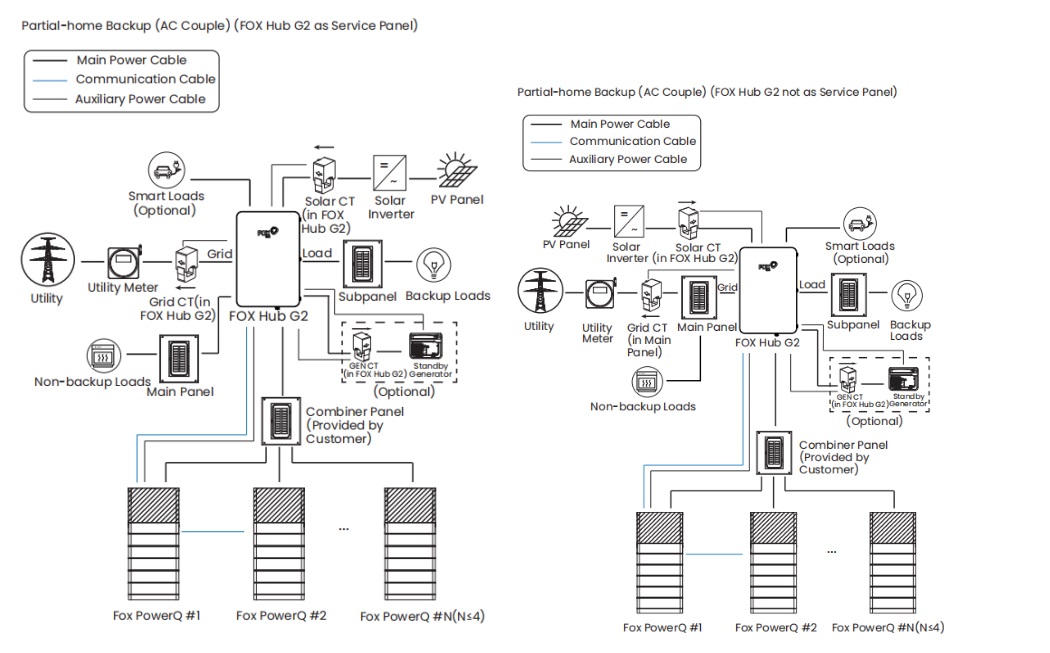
5.How to merge with existing solar energy? What are the requirements for existing solar energy?
Please see the screenshoot.
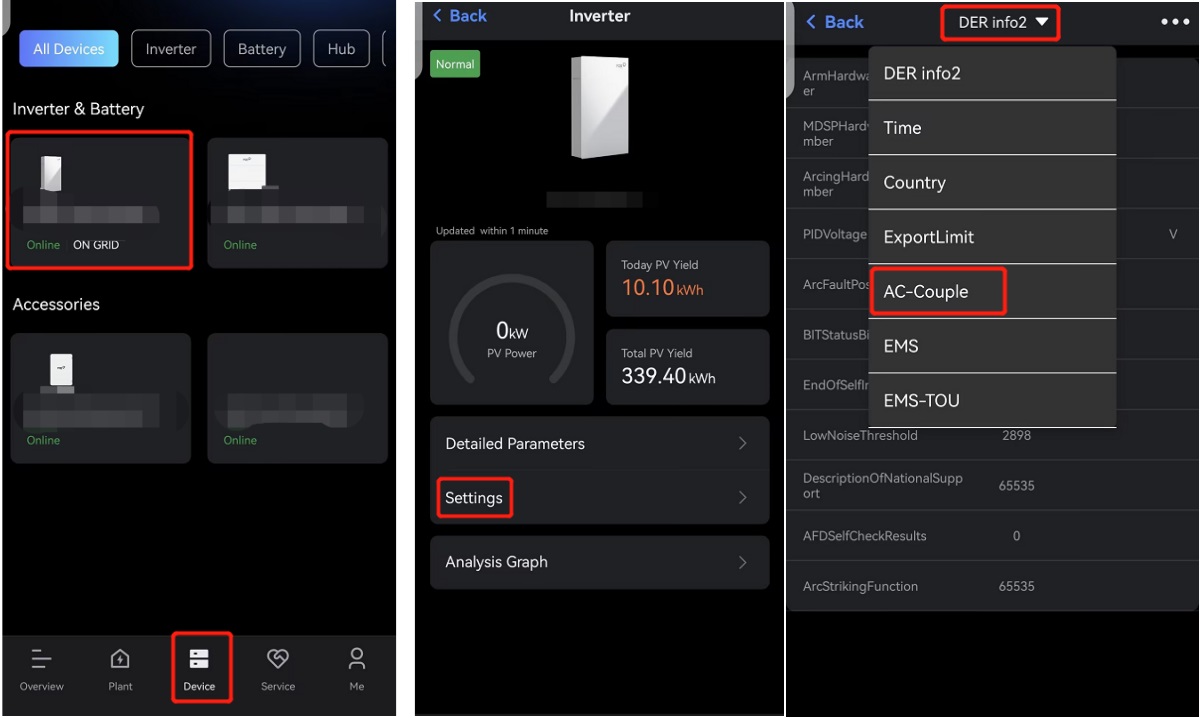
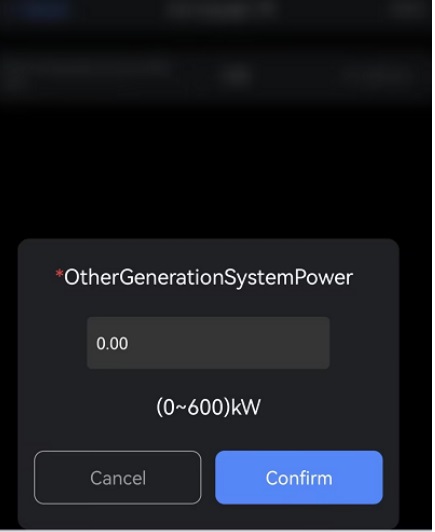
After the AC coulping wiring, we need to set the other generation system power as the screenshoot.
6.How to connect to the diesel generator? How to configure the app? What are the requirements for the diesel generator?
Our inverter supports three remote start/stop control methods:
Utility Voltage Sense(Generac Guardian Series),
Dry contact normally open generator(Generac EcoGen Series, Honda EU Series),
Dry contact normally closed generator(Generac EcoGen Series,Honda EU Series).
These options cover the start-up methods of most generator brands on the market.
Different start methods require different wiring connections. Please refer to the Quick Installation Guide for details, from page 31-34, and see the CT wiring at page 36.
https://us.fox-ess.com/wp-content/uploads/2025/11/EN-AIO-US-Quick-Guide-v1.1c.pdf
7.What are the currents of the busbar and non-back-up?
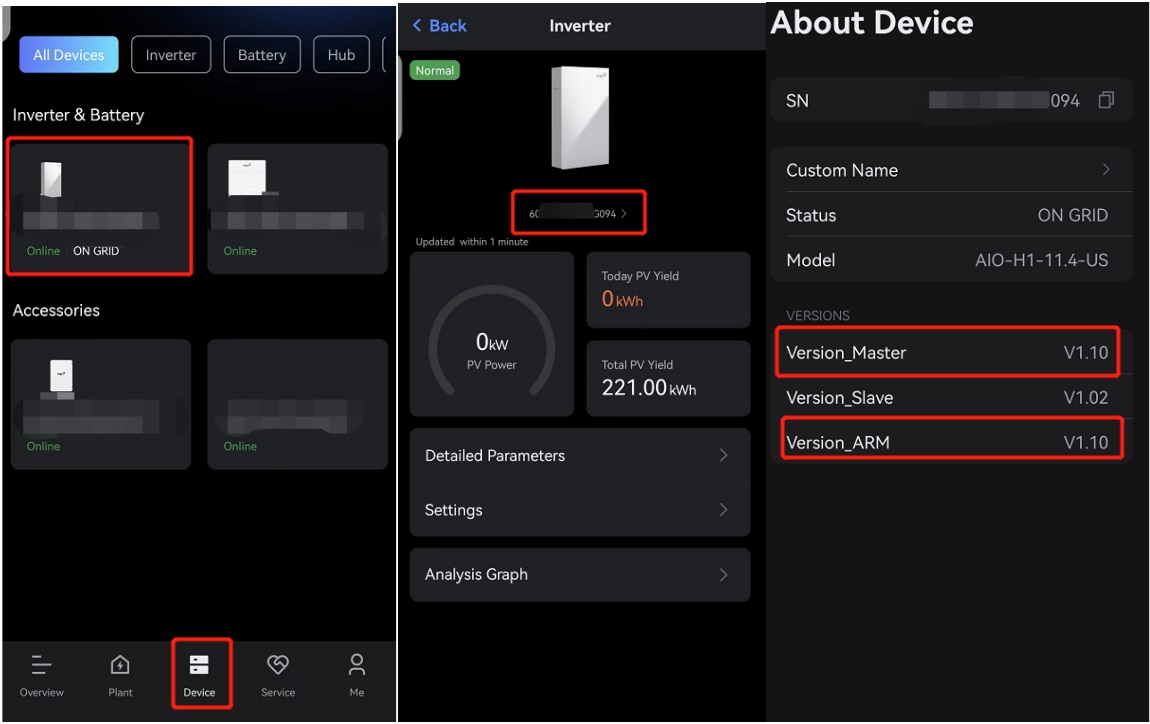
Busbar:280A, Non-back-up: 200A. We need update the Hub G2 version higher than V1.06.Please check the version as the screenshoot.And if not, please contact our Fox aftersales support to update to target version.
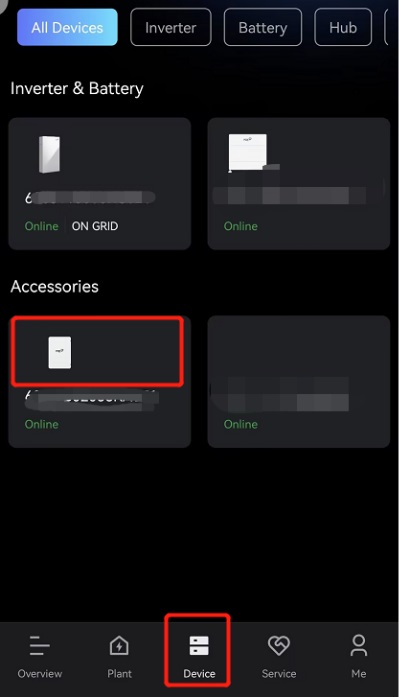
If without hub,we need to make sure the Inverter version higher than ARM V1.11,Master V1.11.And if not, please contact our Fox aftersales support to update to target version.
8.How can a smart load connect be used to create a combiner box?
https://us.fox-ess.com/wp-content/uploads/2025/11/EN-AIO-US-Quick-Guide-v1.1c.pdf
Please see the wiring at Page 22.
9.How do we connect our machine to a three-phase 208 power grid? What are the limitations? How do we configure the app?
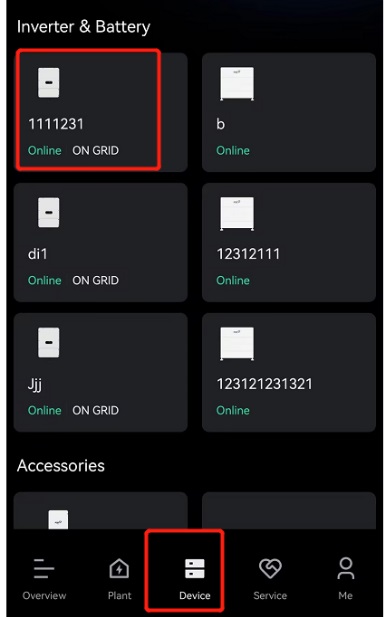
Step 1 : At the Device page, click the buttom of inverter
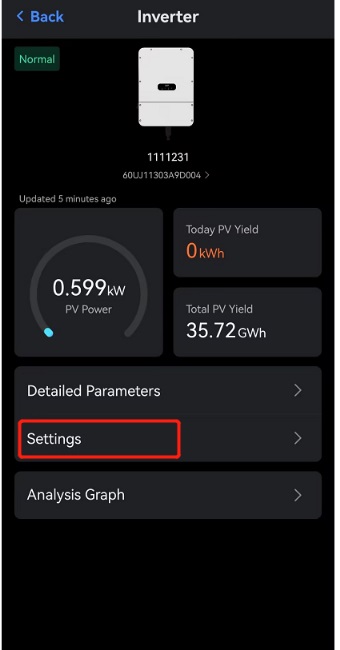
Step 2 : At the Inverter Page, click the Settings Buttom
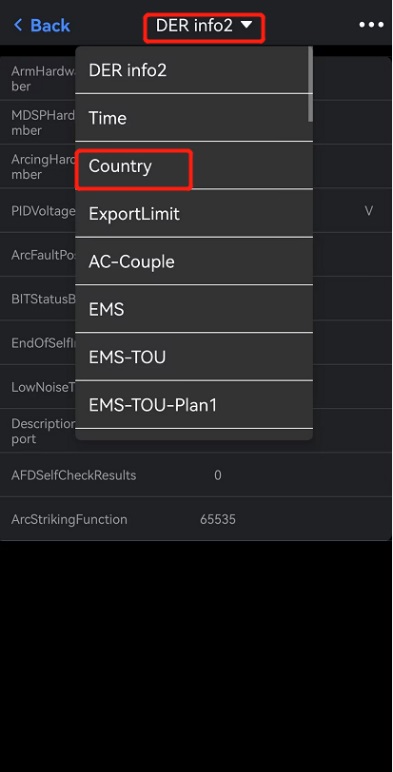
Step 3: Change the Selection DER info2 to Country
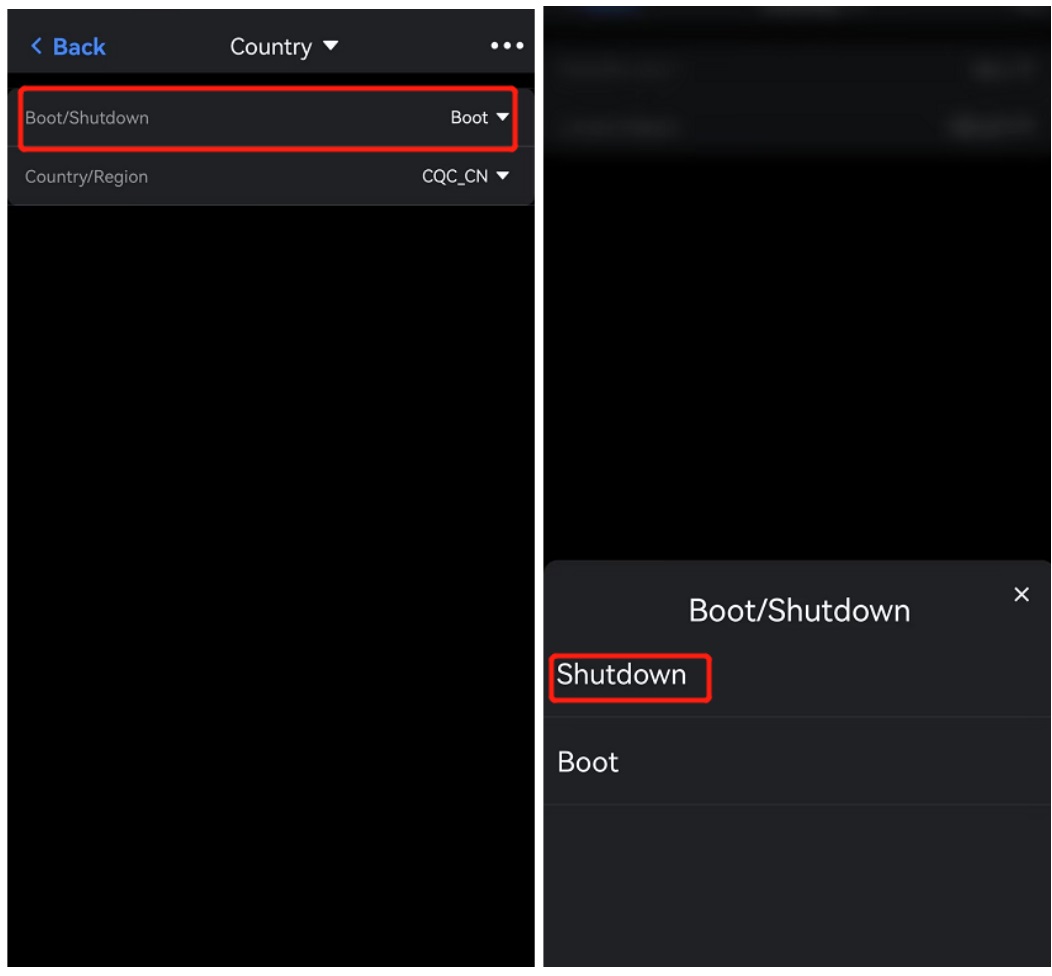
Step 4: Change the Boot/Shutdown to shutdown
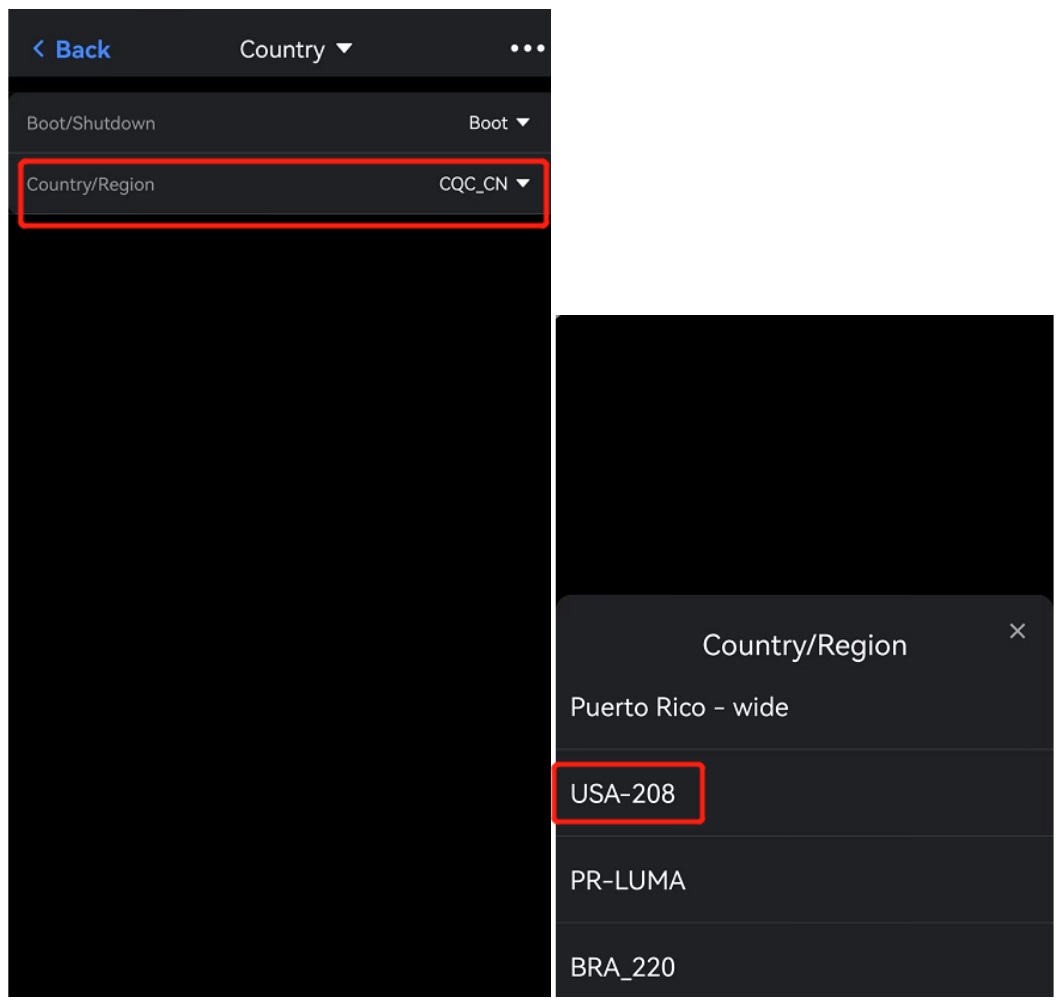
Step 5 : Change the Selection Country/ Region to USA-208
Mark: When we finish the setting, the system will automatically switch on to Boot, no need to change the Boot/Shutdown buttom.
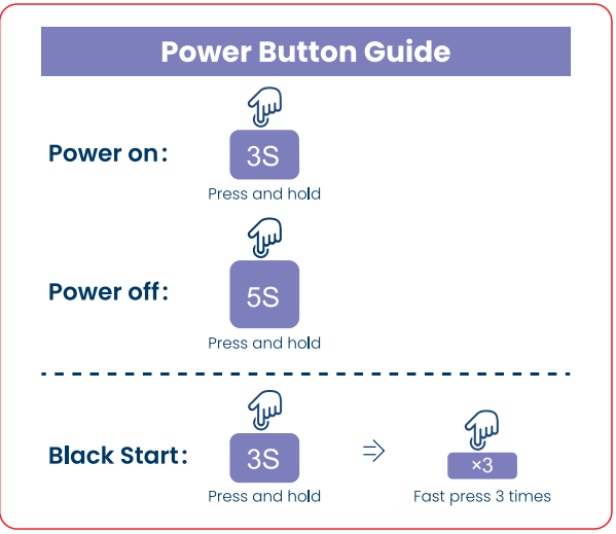
10.How do I perform a black start on a battery?
Here is the sticker on battery guide the procedure.
11.Does Fox have a built-in Tigo or APS RSD Transmitter?
Yes.We have Tigo and APS RSD transmitter selectable.
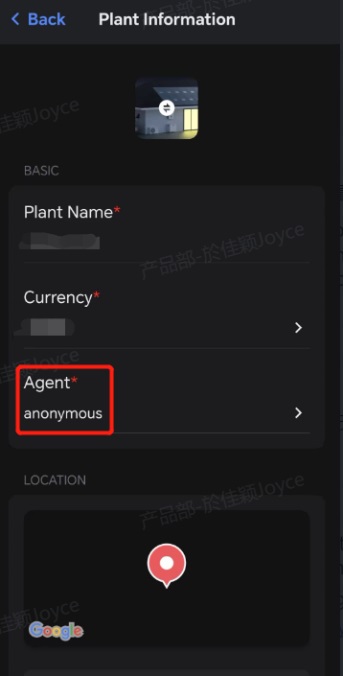
12.Can installers associated with multiple admins? What’s the details there?Are the sites spotted by all agents?
Every single site can be associated to different admins account.
13.How to find out tech support?
Phone:888 819 5189
email:service.us@myfoxess.zohodesk.eu
14.Can an installer combined with multi agents? Are the sites spotted by all agents?
The installer can combine with multi agents, but the site can only combine with one agent, the installer can choose from combined agents.